

Brady Snyder / Android Authority
Google Pixel phones, for better or worse, are defined by their software. Exclusive features, quarterly Pixel Drops, and seven years of Android OS updates separate Pixels from the competition. Google’s controversial use of custom Tensor chips is supposed to help some of those exclusive AI features run on-device.
And yet, a feature on my Pixel 10 Pro suddenly switched from using on-device processing to using the cloud without warning.
Will you use Pixel Screenshots with cloud processing?
36 votes
I trusted Pixel Screenshots, and it changed overnight

Brady Snyder / Android Authority
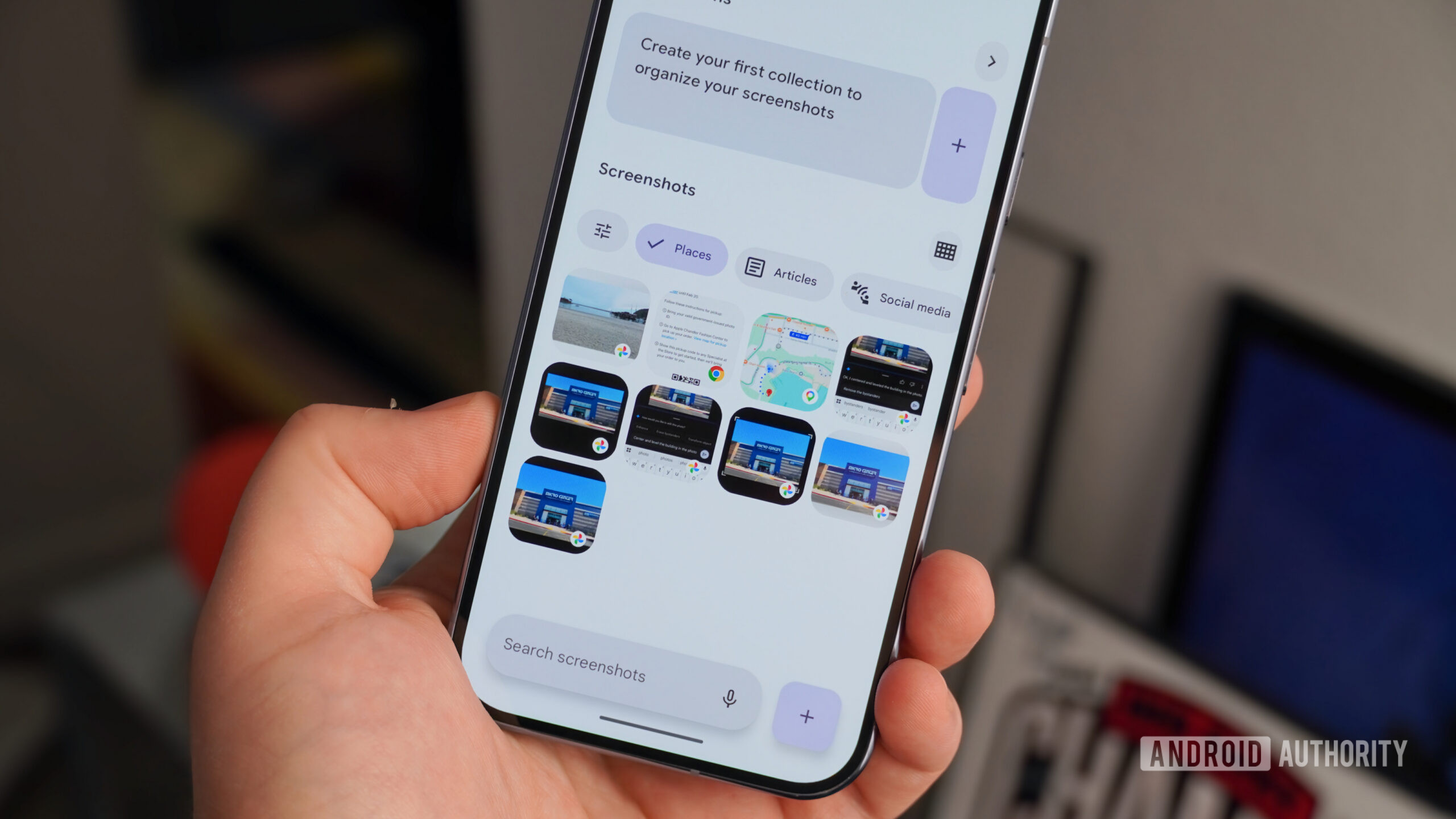
Pixel Screenshots is exclusive to the Pixel 9 and Pixel 10 series, excluding the budget A-series models. It’s one of the more polarizing Pixel-only apps from Google, as some view it as redundant when Google Photos already filters screenshots. As someone who takes many screenshots and never goes back to them, I found the app to be occasionally useful. It’s great for filtering screenshot categories, extracting links, and setting reminders to revisit specific screenshots.
I didn’t take any issue with Pixel Screenshots running wild with anything I screenshotted. Even when I captured sensitive or confidential information, that wasn’t an issue, because the app’s data never left my device. The on-device Gemini Nano model that powered Pixel Screenshots was a key perk, and even Google recognized it.
In a snippet from a Google Store magazine entry about Pixel Screenshots, following the Pixel 9 launch that is still live, Google advertised the on-device processing aspect of the new app:
This Pixel-exclusive app uses Gemini Nano with Multimodality – our latest on-device AI model – to save, organize, and easily recall the information embedded within your screenshots… Oh, and it does this all super fast since Pixel Screenshots runs on device – no internet connection needed.
Google was right. While cloud processing is best for intensive and complex tasks, on-device processing is quicker and more private for less demanding workflows. The privacy aspect is crucial, as your screenshots may contain personal information you don’t want leaving your Pixel phone and traveling to a Google server. Imagine my surprise to learn that the Pixel Screenshots app no longer uses on-device processing exclusively after the v1.26.134.11 update.
I didn’t learn about the change from a push notification or a pop-up in the Pixel Screenshots — I read about it in an Android Authority article. That’s concerning because there’s an expectation that if an app is marketed as using on-device AI, it’ll stay that way. From what I can tell, aside from subtle changes to the Pixel Screenshots app settings page, Google didn’t properly communicate this change to users like me. It just flipped a switch in the background.
Even the official Play Store release notes for Pixel Screenshots omit the change. A simple message explaining the shift could’ve helped me make an informed decision about whether to use Pixel Screenshots now that it is using “a secure, isolated environment on your device or in the cloud.”
My Pixel phones analyzed my screenshots just fine

Brady Snyder / Android Authority
There’s no doubt that offloading Pixel Screenshots processing to the cloud could enable more advanced features and preserve system resources. But as a Pixel 9 and Pixel 10 tester who has used Pixel Screenshots for nearly two years, I’m puzzled about what problem this change solves. Ask Photos in Google Photos already uses cloud-based AI to answer questions about my screenshots.
Pixel Screenshots did a fine job of organizing and reviewing my screenshots using the Tensor G4 and Tensor G5 chips and on-device Gemini Nano models. Now that cloud processing is in the mix, I have to consider privacy and security more than before.
This isn’t the first time Google has shifted a Pixel feature from on-device to cloud processing. It made a similar change to Magic Cue on the Pixel 10 last December, and the feature now uses Google Private AI Compute in an attempt to balance performance and privacy. While not explicitly confirmed, Private AI Compute is likely to be the “secure, isolated environment” now used by Pixel Screenshots. The idea is that encryption safeguards your data in transit, and not even Google can see it.
I’m not a security researcher, so I can’t say whether you should trust Private AI Compute or not. Instead, I’ll frame it much simpler. When the Pixel Screenshot app processed all your data on your phone, you could rest assured it would not leave your device. Following the latest update, you’re putting blind faith in the security of a cloud processing system you may not fully understand.

Brady Snyder / Android Authority
This change didn’t have to be controversial. If Google had added a separate toggle to Pixel Screenshots, giving users the choice between on-device and cloud processing, this update would’ve been a non-issue. We know that it’s possible, because Pixel Screenshots can still manually process entries on-device when your phone is offline. The same would be true if it added a pop-up to Pixel Screenshots conveying the change and providing an opt-out button.
Instead, Pixel Screenshots users need to navigate to the app’s settings page and flip the toggle beside “Search your screenshots with AI” to avoid sending screenshot data to the cloud. A new button appears that can “Delete all AI summaries and metadata.” So, that’s exactly what I did.
There’s one way Google can save Pixel Screenshots

Brady Snyder / Android Authority
It’s fair to say Google has a Pixel performance and memory problem. The Pixel 9a and Pixel 10a didn’t get Pixel Screenshots in the first place, presumably due to their mere 8GB of RAM. Pixel Screenshots joins Magic Cue as a feature that once relied exclusively on local Gemini Nano smarts but now depends on the cloud for some tasks. In a perfect world, Pixel users would at least have the option of keeping these features local.
The pressure is on for Google to expand Pixel Screenshots to more devices. It’s hard to argue with the hardware limitations that explained Pixel Screenshots’ exclusivity when it used on-device processing. But if it’s now using the cloud, the flagship Pixel 9 and Pixel 10 models shouldn’t be the only phones to get Pixel Screenshots.
The pressure is on for Google to expand Pixel Screenshots to more devices.
Bring the Pixel Screenshots app to older, weaker Pixel phones, and I’d understand the rationale behind the change. Don’t hold your breath, because Magic Cue started using Private AI Compute six months ago and remains a Pixel 10 series exclusive.
Ideally, I want as many AI features as possible to run locally on my phone. It’s a bummer that Pixel phones aren’t getting more features that leverage on-device processing — they’re becoming more reliant on the cloud.
Thank you for being part of our community. Read our Comment Policy before posting.