

When it comes to in-car navigation, reliability is non-negotiable for me. For the last couple of years, I have relied on Android Auto for everything from navigation to music streaming and for taking calls over my car’s infotainment system. But recently I decided to give CarPlay a try to add a little excitement to my otherwise usual driving routine. In fact, I tried it for a week to see if I would prefer it over Android Auto.
My main goal was pretty simple. I wanted a connection that would not fail while I was driving. Well, on that point, CarPlay certainly delivered, but it turns out it brings other changes too, in ways I did not expect. It turns out that switching platforms from Android Auto to CarPlay is not quite as straightforward an upgrade, or even a side grade, as I was thinking. In fact, it’s forced me to accept certain trade-offs in how I use my preferred apps on the road.
I love CarPlay’s clean interface, but it’s not very flexible
CarPlay dramatically limits some features on your smartphone
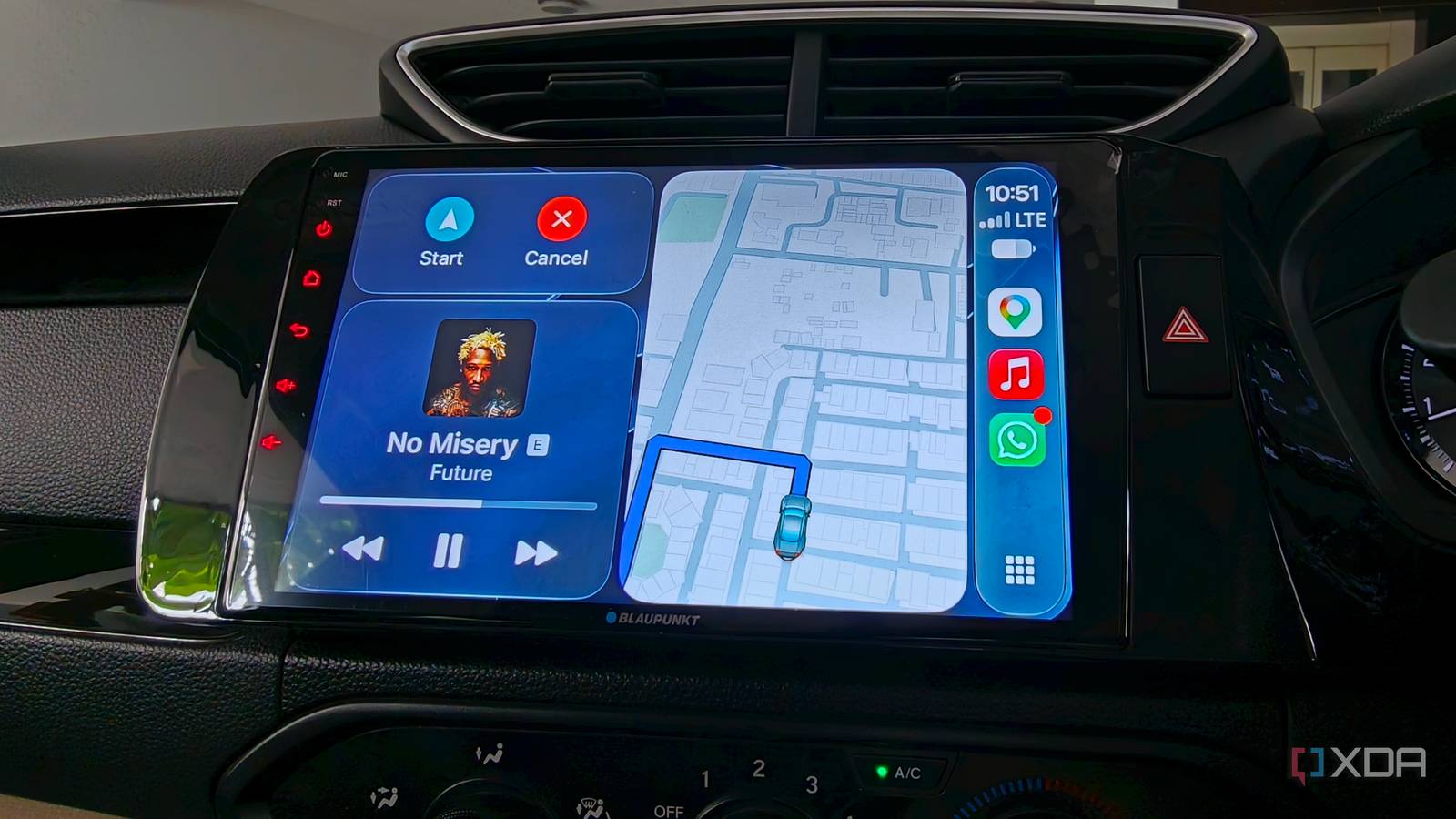
On the face of it, CarPlay offers a very clean and strict grid for its home screen. In an understandable continuation of the iPhone and iPad’s rigid layout, it’s clean, simple, and not very customizable. CarPlay offers a dashboard view that puts my map, my current playing song, and, if relevant, a calendar meeting on the home page. These layout elements don’t really move around. I like this because the buttons stay in the exact same spot every time I look down. I like the sense of predictability that comes with it.
Android Auto would often shift things around and launch the same apps on the opposite side of the screen, which could get a little confusing while on the road. Apple, on the other hand, keeps things locked in, which makes it easy to tap without looking away from the road. So far, so good.
However, the real problem starts when, let’s say, a co-passenger picks up my connected iPhone. If I’m driving and my passenger unlocks the phone to look up a gas station or change a playlist, CarPlay effectively locks out the Maps app UI on my iPhone. This means my co-passenger has no way to look up nearby destinations, and you’re clearly expected to control everything from the car’s screen.
That’s a huge issue when I’m traveling through a congested city street or on the expressway. Moreover, it’s an odd software decision that I didn’t expect. On Android Auto, if I have navigation running, I ask someone to scroll through the map to see what’s coming up ahead. In CarPlay, however, the phone switches to a text-based route layout with no fallback options. This means you can’t really see anything beyond the specific route that you’re taking.
That said, with CarPlay, the phone and the car screen are a single device. If you expect you’ll be able to let a co-passenger mess around with your phone while CarPlay is running, you’re in for a shock.
Rock-solid voice controls matter more than I anticipated
Gemini makes Siri feel surprisingly limited
As goofy as it might sound, talking to my car is how I get things done. It’s the safest way to interact with the infotainment system at high speeds, and it is also where I noticed a significant difference between CarPlay and Android Auto. Android Auto’s voice assistant easily understands long and natural sentences.
For example, I can ask it to change my routine and text my arrival time to my partner, and it will usually get it right. That Gemini-based voice interface is surprisingly good. Meanwhile, Siri struggles with these basic requests. More often than not, I have to break my command down into individual steps. That’s more work for me and a bigger distraction while I’m driving.
The way CarPlay handles text messages is also fairly annoying and borderline unsafe. CarPlay displays text messages as a massive banner pop-up across the map layout, blocking critical navigation sections. At least once, I missed the lane guidance arrows and had to make a sharp turn at the last moment. Maybe I’m missing something, but so far the only solutions I’ve found are either to wait for it to swipe itself away or take my hand off the wheel to swipe it closed. Android Auto takes a much safer route by putting short alerts at the bottom of the screen. It never blocks the map.
Why I’m going back to Android Auto
After a full week of dabbling in CarPlay, it’s easy to say that both systems have their positives and negatives. By and large, CarPlay offers a pretty reliable way to get smarter connectivity in your car. It gives you a stable, clean interface that connects practically instantly when you start your car, but that stability comes with some trade-offs. You will have to deal with things like a very rigid interface, a voice assistant that cannot compete with Gemini, and annoying notification banners that can occasionally take over your maps.
Are those trade-offs enough for you to switch from CarPlay to Android Auto? That’s for you to decide. For me, I think I’ll switch back to Android Auto soon for better multitasking and smarter voice control.