
• About
  • Advertise
  • Privacy & Policy
  • Contact
All Access London
Advertisement
  • Home
  • General
  • Celebrity
  • News
    • London
    • UK
    • Business
    • Politics
    • Science
  • Tech
    • Apps
    • Gadgets
    • Mobile
    • Startup
  • Entertainment
    • London Ent.
    • Gaming
    • Movies
    • Music
    • Sports
    • TV
  • Lifestyle
    • Fashion
    • Food
    • Health
    • Travel
  • Reviews
No Result
View All Result
  • Home
  • General
  • Celebrity
  • News
    • London
    • UK
    • Business
    • Politics
    • Science
  • Tech
    • Apps
    • Gadgets
    • Mobile
    • Startup
  • Entertainment
    • London Ent.
    • Gaming
    • Movies
    • Music
    • Sports
    • TV
  • Lifestyle
    • Fashion
    • Food
    • Health
    • Travel
  • Reviews
No Result
View All Result
All Access London
No Result
View All Result
Home Tech Gadgets

Your Desktop’s Front USB Ports May Be Slowing Down Every Device You Plug Into Them

All Access London Team by All Access London Team
November 4, 2026
in Gadgets
0
Your Desktop’s Front USB Ports May Be Slowing Down Every Device You Plug Into Them
0
SHARES
1
VIEWS
Share on FacebookShare on Twitter


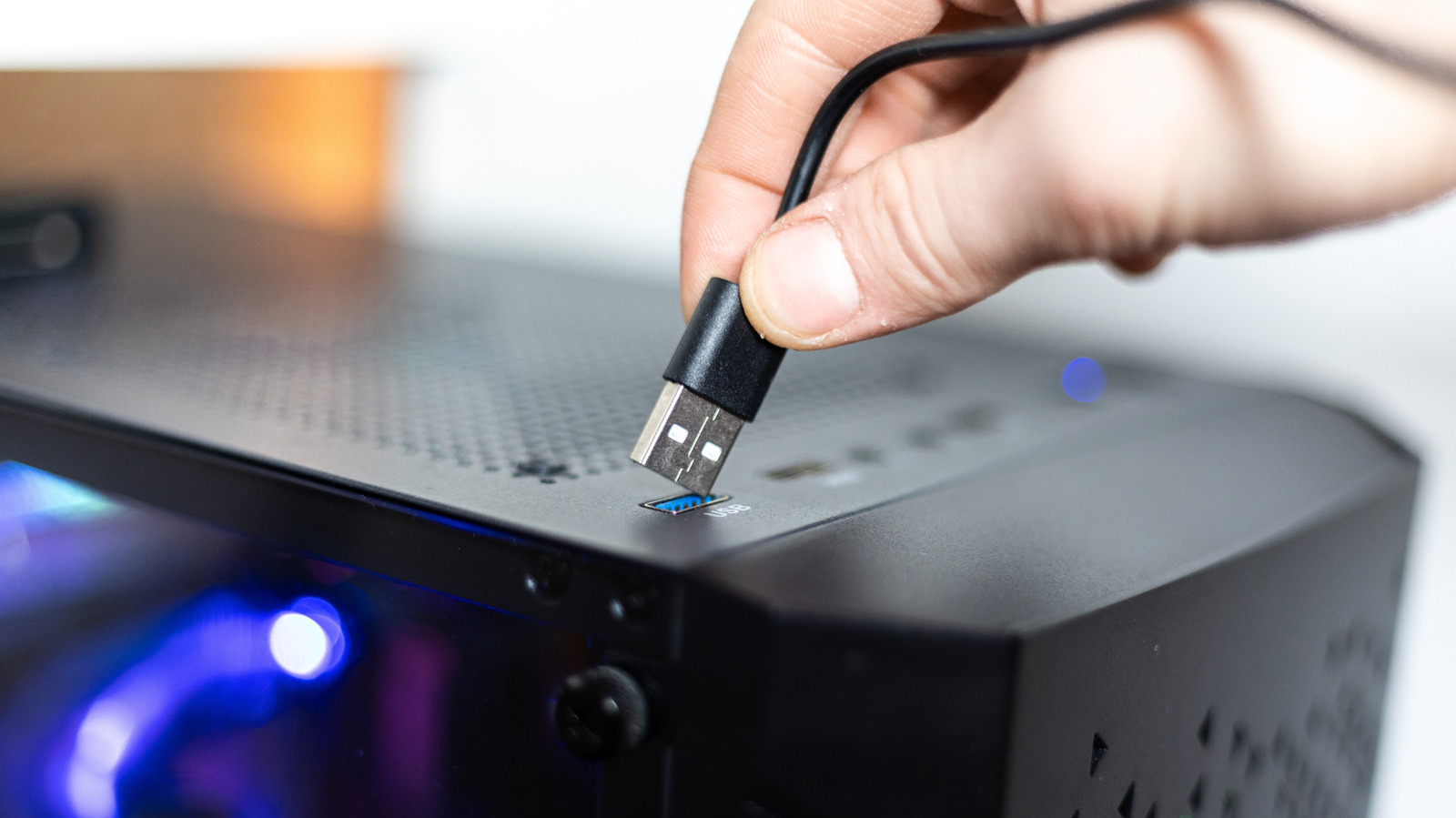
Having USB ports on the front of your desktop is convenient, but they might cost you power and speed.


KirillovIgor/Shutterstock

Most desktop computers have USB ports on the front, which is convenient. Instead of reaching around to the back of the case and fumbling for the right port every time you need to connect a device, you can plug in and unplug your accessories in no time. 

This convenience comes with a catch, though. Depending on what you connect to these ports, you may notice that the external device runs slower than it should: your files will take longer to copy and your phone won’t juice up as quickly. This isn’t a problem with your computer, but rather stems from how front-facing USB ports are engineered in your machine. It’s also not a universal rule, as there are modern PCs with high-end ports on the front.

In a lot of cases, you probably won’t realize the difference. But if you do notice it, there’s a reason why the front ports of your computer are a little bit slower.

Why front USB ports can be slower than the ones on the back


Apple's Mac mini with two front-facing USB-C ports.
M21Perfect/Shutterstock

To understand this issue, we need to take a closer look at USB specifications and how motherboards are built. The USB ports on the back of your computer are usually soldered directly to the motherboard, so power and data travel a shorter path over them. Front ports, on the other hand, are connected via extension cables to reach the I/O controllers. Each additional layer in this connection results in signal loss, even if minimal.

Also, most high-end motherboards have more headers for USB ports, which means you can have multiple ports running at higher speeds. But front-panel ports are a different story; in many cases, they share a single connector, which means speed and power are split among all the ports on the front of your PC case. That’s all in addition to manufacturers often using slower USB standards for at least some of the front ports.

Take the ASUS ROG Maximus Z790 Hero motherboard as an example — its rear has two 40 Gbps Thunderbolt 4 ports, as well as six 10 Gbps USB 3.2 Gen 2 ports and four more 5 Gbps USB 3.2 Gen 1 ports. While the front panel does have one USB 3.2 Gen 2×2 (theoretically 20 Gbps) port, it also has four USB 3.2 Gen 1 (5 Gbps) ports powered by two headers. That means the available speed is split among the connected devices as a shared pool. On some boards, if you connect two external SSDs to the front at the same time, they will share the same 5 Gbps data transfer rate.

Even Macs have these limitations. The current baseline Mac mini with the M6 chip has two USB-C ports on the front that offer speeds of up to 10 Gbps. But on the back, it has Thunderbolt 4 ports that reach speeds of up to 40 Gbps. The same applies to the latest Mac Studio, with the base model featuring two 10 Gbps USB-C ports on the front and Thunderbolt ports only on the back. The front USB ports are useful, but slower.

What to plug into the front and back of your desktop


The back of a desktop computer with multiple USB-A, USB-C and Ethernet ports.
Octavian Lazar/Shutterstock

Whether this difference in power and speed will actually affect your peripherals depends on what you’re using and what you need. For common devices like a mouse, keyboard or headphones, the ports on the front of your computer handle them just fine. These devices use very little power and don’t require high speeds to run. Even a regular USB flash drive is fine to use with them if you don’t plan on transferring huge amounts of data or constantly reading and writing.

Choose the rear ports when you’re connecting bandwidth-intensive or latency-sensitive peripherals, such as external SSDs, capture cards or VR headsets. Plugging these into high-speed ports will definitely make a difference, and some of them may not even work on slower ports. It’s definitely worth checking the specs of your motherboard or computer to see the exact speeds of each USB port so you’ll know which one to plug each accessory into. Symbols or colors can give you a hint, but they aren’t always consistent.




Source link

Tags: DesktopsdevicefrontplugportsslowingUSB
Previous Post

‘Heartbroken’ London football club pays tribute after sudden death of midfielder, 26

Next Post

Actress Bella Maclean says she put no nudity clause into Rivals contract

All Access London Team

All Access London Team

Next Post
Actress Bella Maclean says she put no nudity clause into Rivals contract

Actress Bella Maclean says she put no nudity clause into Rivals contract

Leave a Reply Cancel reply

Your email address will not be published. Required fields are marked *

  • Trending
  • Comments
  • Latest
Coronation Street cast 2026 | Joining, leaving, returning characters

Coronation Street cast 2026 | Joining, leaving, returning characters

May 9, 2026
Who are Andy Burnham’s key aides and allies? | Andy Burnham

Who are Andy Burnham’s key aides and allies? | Andy Burnham

May 23, 2026
Trade London for Brighton This Weekend

Trade London for Brighton This Weekend

May 7, 2026
Independence Day 2026 Events: Where To Celebrate 4 July In London

Independence Day 2026 Events: Where To Celebrate 4 July In London

May 8, 2026
Merton roads being resurfacing or repaired this year from Mitcham to Wimbledon – full list

Merton roads being resurfacing or repaired this year from Mitcham to Wimbledon – full list

1
The World Naked Bike Ride Returns To London This Summer

The World Naked Bike Ride Returns To London This Summer

0
London's Hidden Roman Bathhouse Reopens For Tours

London's Hidden Roman Bathhouse Reopens For Tours

0
Bring Out The Bunting: St George's Day Celebrations Are Coming To Trafalgar Square

Bring Out The Bunting: St George's Day Celebrations Are Coming To Trafalgar Square

0
London cafe served bacon ‘a good vet could bring back to life’

London cafe served bacon ‘a good vet could bring back to life’

November 4, 2026
‘Punishing’ Autumn Budget tax trap set to deal further blow to HENRYs

‘Punishing’ Autumn Budget tax trap set to deal further blow to HENRYs

November 4, 2026
Christa Pike issues health update as death row killer ‘afraid’ after botched execution | World | News

Christa Pike issues health update as death row killer ‘afraid’ after botched execution | World | News

November 4, 2026
Will William Saliba play tonight? Arsenal latest team news as defender returns from injury

Will William Saliba play tonight? Arsenal latest team news as defender returns from injury

November 4, 2026

Recent News

London cafe served bacon ‘a good vet could bring back to life’

London cafe served bacon ‘a good vet could bring back to life’

November 4, 2026
‘Punishing’ Autumn Budget tax trap set to deal further blow to HENRYs

‘Punishing’ Autumn Budget tax trap set to deal further blow to HENRYs

November 4, 2026
Christa Pike issues health update as death row killer ‘afraid’ after botched execution | World | News

Christa Pike issues health update as death row killer ‘afraid’ after botched execution | World | News

November 4, 2026
Will William Saliba play tonight? Arsenal latest team news as defender returns from injury

Will William Saliba play tonight? Arsenal latest team news as defender returns from injury

November 4, 2026
All Access London

We bring you the best Premium WordPress Themes that perfect for news, magazine, personal blog, etc. Check our landing page for details.

Follow Us

Browse by Category

  • Apps
  • Business
  • Celebrity
  • Entertainment
  • Fashion
  • Food
  • Gadgets
  • Gaming
  • General
  • Health
  • Lifestyle
  • London
  • London Ent.
  • Mobile
  • Movies
  • Music
  • Politics
  • Reviews
  • Science
  • Sports
  • Startup
  • Tech
  • Travel
  • TV
  • UK

Recent News

London cafe served bacon ‘a good vet could bring back to life’

London cafe served bacon ‘a good vet could bring back to life’

November 4, 2026
‘Punishing’ Autumn Budget tax trap set to deal further blow to HENRYs

‘Punishing’ Autumn Budget tax trap set to deal further blow to HENRYs

November 4, 2026
  • About
  • Advertise
  • Privacy & Policy
  • Contact

© 2026 All Access London

No Result
View All Result
  • General
  • Celebrity
  • News
    • London
    • UK
    • Business
    • Politics
    • Science
  • Tech
    • Apps
    • Gadgets
    • Mobile
    • Startup
  • Entertainment
    • London Ent.
    • Gaming
    • Movies
    • Music
    • Sports
    • TV
  • Lifestyle
    • Fashion
    • Food
    • Health
    • Travel
  • Reviews

© 2026 All Access London